
Log in
Log in
Updates & resources
Contact form / formulaire de Contact
2026-03-17If you have any questions or need support, please contact us using the Contact or our support email pt-crbip-pmo@pasteur.fr.
Si vous avez des questions ou besoin d'assistance, contactez-nous via la rubrique Contact ou par mail à l'adresse pt-crbip-pmo@pasteur.fr..
Video turorial / Tutoriel vidéo
2026-07-06How to register for an account
2026-03-13In order to register in PT rounds, you need an account on the PT-CRBIP website.
Please begin by creating a single account for your laboratory. You will then be able to add additional user accounts associated with it in the account settings.
How to Create Your Account
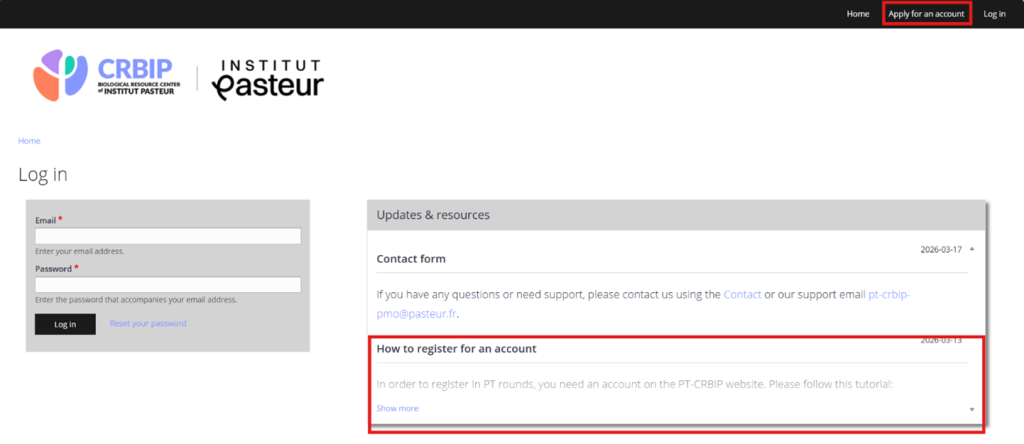
1.Start the process: Click on the "Apply for an Account" button in the menu bar.
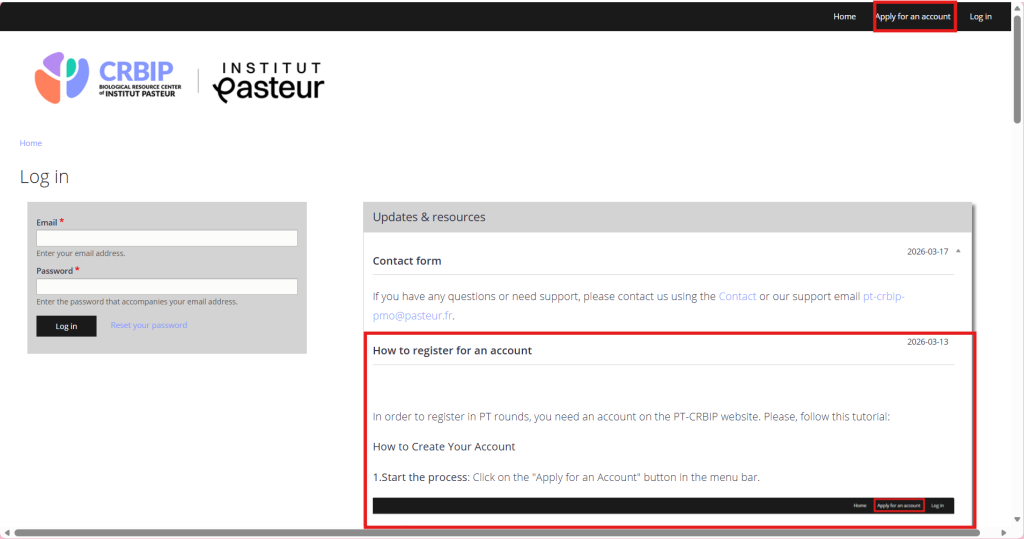
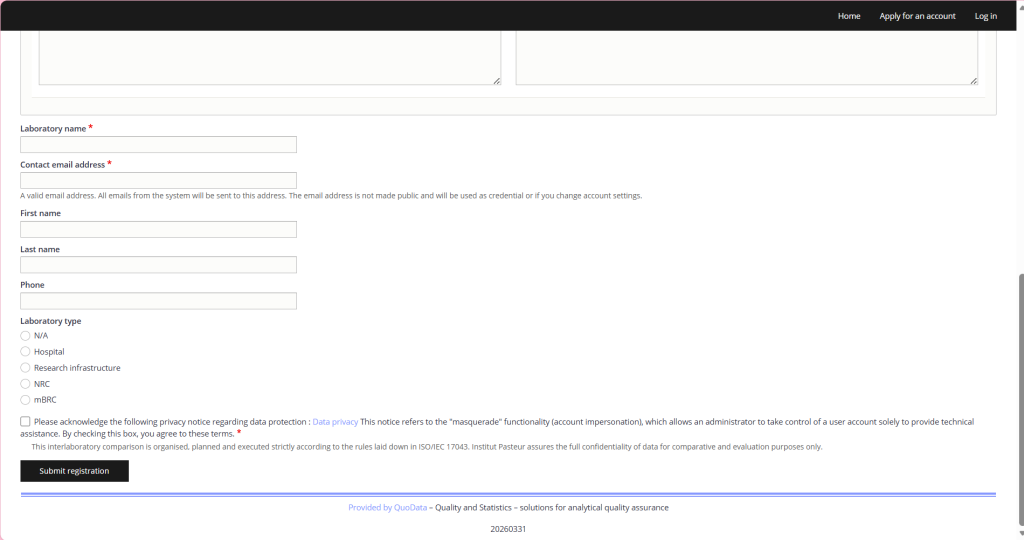
2. Access the registration page: You will be directed to the "Create Your Account" . Please note that only the adress field and the one marked by a red star are mandatory. The adress will be requested again when you register for your first round.
Complete required information: Fill in the mandatory fields:
- Shipping address
- Laboratory name
- Contact email address
- Telephone number
Note: non-mandatory informations telephone number and shipping address can be modified later through your account settings. For modification of Laboratory name and contact email address, please reach out to the administratoir via the contact form.
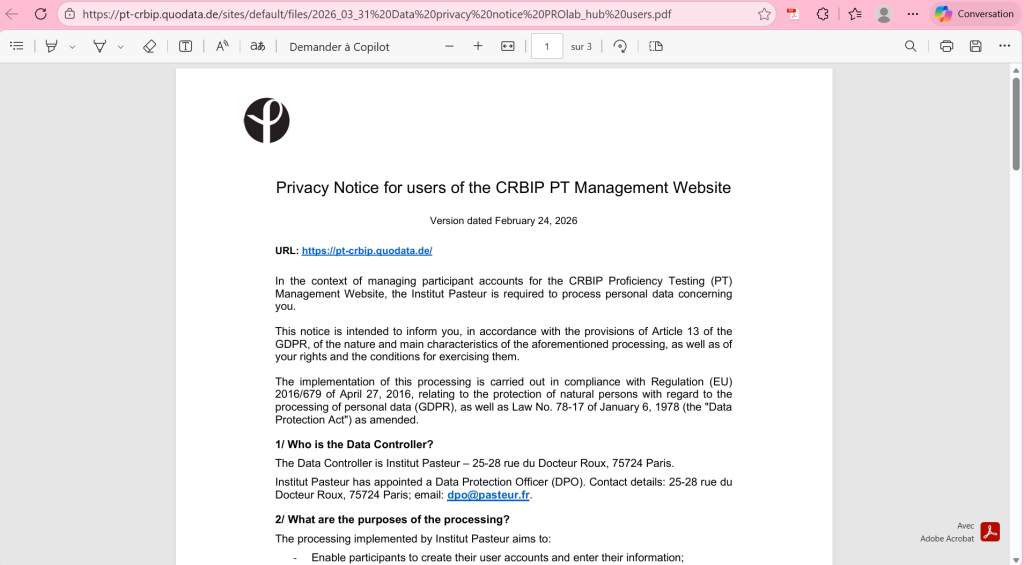
Finalize your registration: Review the data privacy policy, then submit your registration.
3. Confirmation: After submission, you will be redirected to a confirmation page.
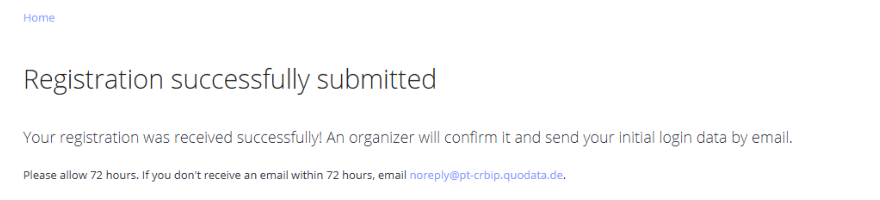
Administrator review: Your application will be reviewed by our website administrator. This process typically takes 3 days.
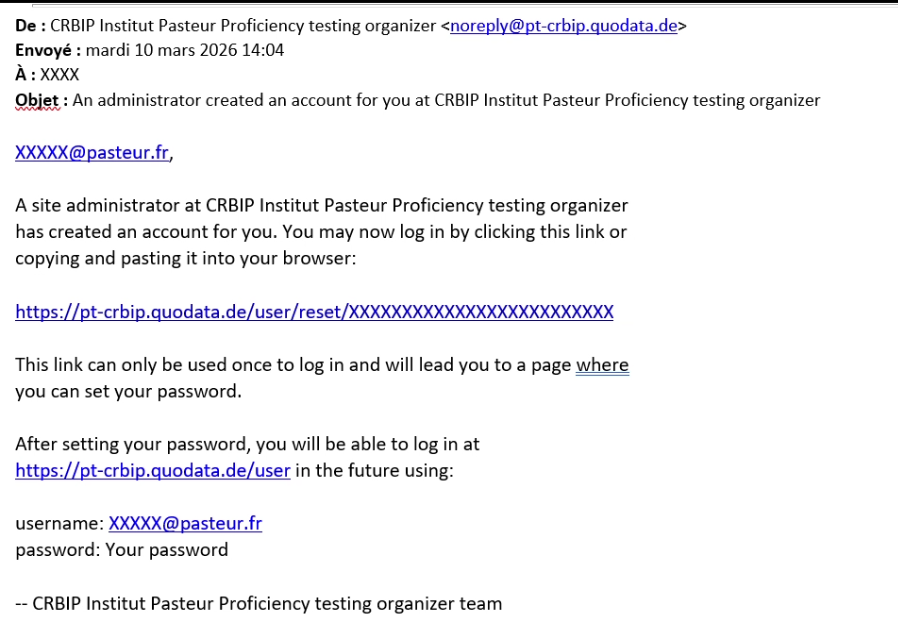
4. Email notification: Once your registration is processed, you will receive an email containing:
- The email address you provided (this will serve as your username)
- A login link to set your password for the first time
Créer un compte
2026-07-06L'accès aux essais EEQ nécessite la création d'un compte sur le site de gestion des EEQ du CRBIP.
Important : Commencez par créer un compte unique au nom de votre laboratoire. Une fois ce compte principal actif, vous pourrez créer d'autres utilisateurs depuis les paramètres de votre profil.
Création de votre compte
1. Lancer la demande
Dans la barre de menu, cliquez sur le bouton « Apply for an Account » (Demander un compte).
2. Remplir le formulaire d'inscription
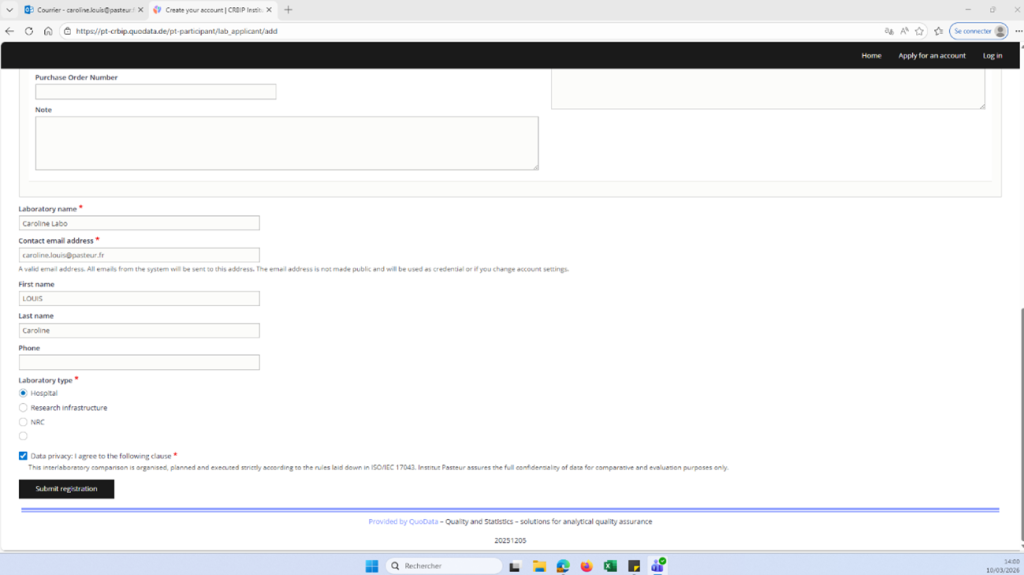
Vous serez redirigé vers la page « Create Your Account ».
À noter : Seuls les champs marqués d'une étoile rouge ainsi que le champ « Adresse » sont obligatoires.
Renseignez les informations suivantes :
- Adresse de livraison
- Nom du laboratoire
- Adresse e-mail de contact
- Numéro de téléphone
Bon à savoir : Vous pourrez modifier ultérieurement le numéro de téléphone et l'adresse de livraison depuis vos paramètres de compte. En revanche, pour changer le nom du laboratoire ou l'adresse e-mail de contact, il faudra contacter l'administrateur via le formulaire de contact.
Valider l'inscription : Après avoir pris connaissance de la politique de confidentialité, validez votre demande.
3. Confirmation de l'envoi Une fois le formulaire soumis, une page de confirmation s'affichera.
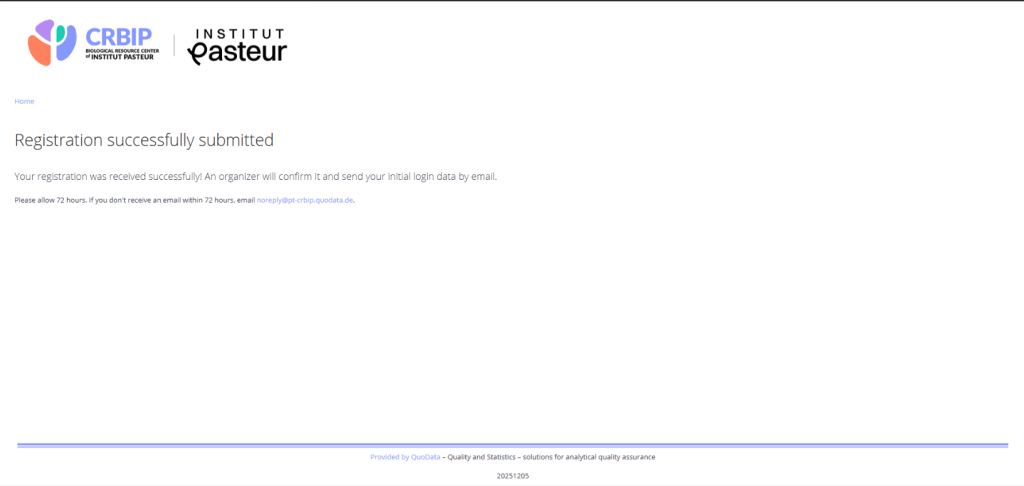
Traitement de la demande : Votre dossier sera examiné par l'administrateur du site. Ce délai de validation est généralement de 3 jours.
4. Réception de l'e-mail d'activation Dès que votre inscription sera validée, vous recevrez un courriel contenant :
- Votre identifiant (l'adresse e-mail renseignée) ;
- Un lien sécurisé pour définir votre mot de passe initial.